Fixing a flower box to a balustrade step by step

Fixing a flower box to a balustrade step by step
/
/
DIY
It takes approx. 1 minutes to read this article

How to attach a flower box to a balcony railing? You will find out in this article.

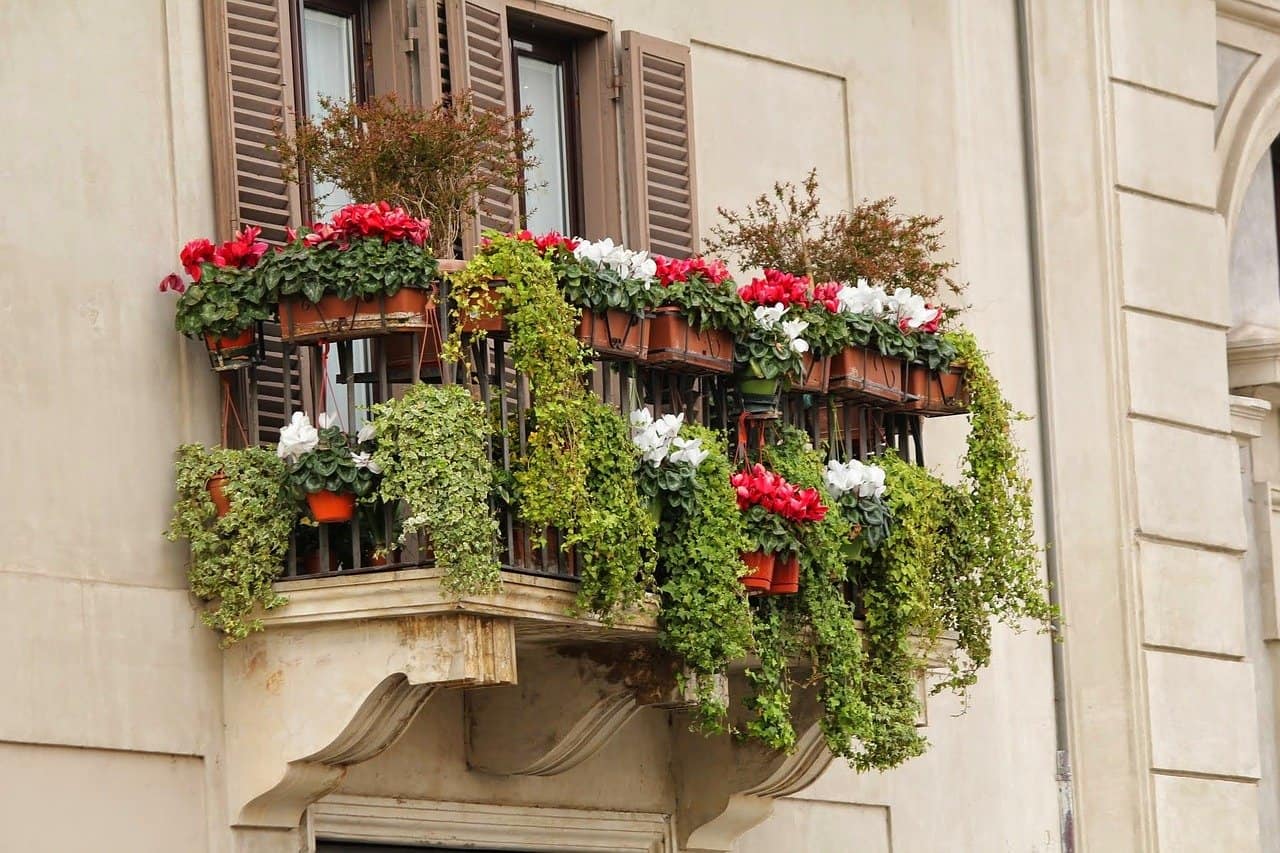
Flower boxes on the balcony railing look nice and add charm to the balcony. See how to attach such a box step by step.

Step 1: Choosing the right pot holders

When choosing pot holders for your balcony railing make sure that the holders are made of a strong material that will not corrode, such as plastic or galvanized metal. Their fastening must not require drilling holes in the balustrade – this could damage it.

Step 2: Fastening the brackets

Depending on the type of brackets you choose, their attachment may vary slightly. The ones for the balcony railing usually have a hook-shaped end which you simply hang on the railing

Step 3: Placing the flowerpot

After you have fastened the brackets you place the flowerpot on them. It is important that the flowerpot does not move on the brackets and that the size of the pot fits under the selected brackets.


Add comment

Your email address will not be published. Required fields are marked *

*

Latest articles
Recommended articles
Maximizing your home’s potential with basement finishing and remodeling
/
Maximizing your home’s potential with basement finishing and remodeling
Discover the vast opportunities a finished basement offers. Transform your lower level space into a valuable asset through professional renovation and remodeling practices.
How to cope with autumn melancholy? Tips for a single
/
How to cope with autumn melancholy? Tips for a single
How to improve your mood when the not-so-favorable autumn weather is all around you? Here are some ways that can help you feel much better.
How do I repair my headphones? What could have broken?
/
How do I repair my headphones? What could have broken?
Are your favorite headphones breaking more and more often or do you notice how they stop connecting? Check out how to fix your headphones!